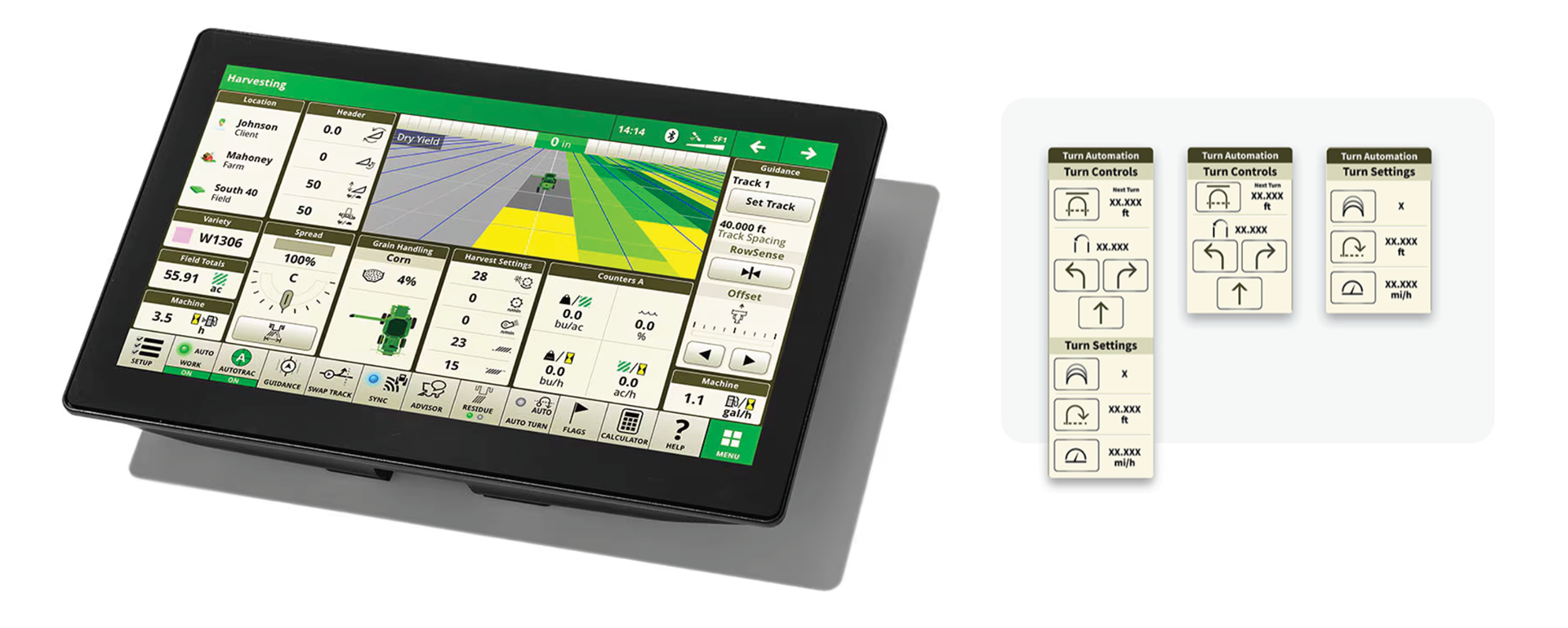
Enhanced the turn automation tool to support multiple operational display sizes
Project Overview
● What we did
We enhanced the turn automation tool to support multiple operational display sizes, ensuring it could be used effectively across different in-field setups, including single large displays and multi-screen configurations.
We enhanced the turn automation tool to support multiple operational display sizes, ensuring it could be used effectively across different in-field setups, including single large displays and multi-screen configurations.
● Why we did it
Operators use turn automation in a variety of real-world environments, and the existing experience did not scale well across different screen sizes. To reduce friction, improve usability, and support diverse operational workflows, the tool needed to adapt seamlessly to both single-screen and multi-screen use cases.
Operators use turn automation in a variety of real-world environments, and the existing experience did not scale well across different screen sizes. To reduce friction, improve usability, and support diverse operational workflows, the tool needed to adapt seamlessly to both single-screen and multi-screen use cases.
● How we did it
We conducted field research to observe operators using turn automation in real working conditions and identified key pain points related to visibility, layout, and interaction across displays. We analyzed and synthesized these insights into clear UX and functional requirements, which guided updates to layout behavior, content prioritization, and interaction patterns to support multiple operational screen sizes.
We conducted field research to observe operators using turn automation in real working conditions and identified key pain points related to visibility, layout, and interaction across displays. We analyzed and synthesized these insights into clear UX and functional requirements, which guided updates to layout behavior, content prioritization, and interaction patterns to support multiple operational screen sizes.

My Role
My role consists of embedding the UX Process from ideation to product implementation.
Duration/timeframe: 2 Weeks
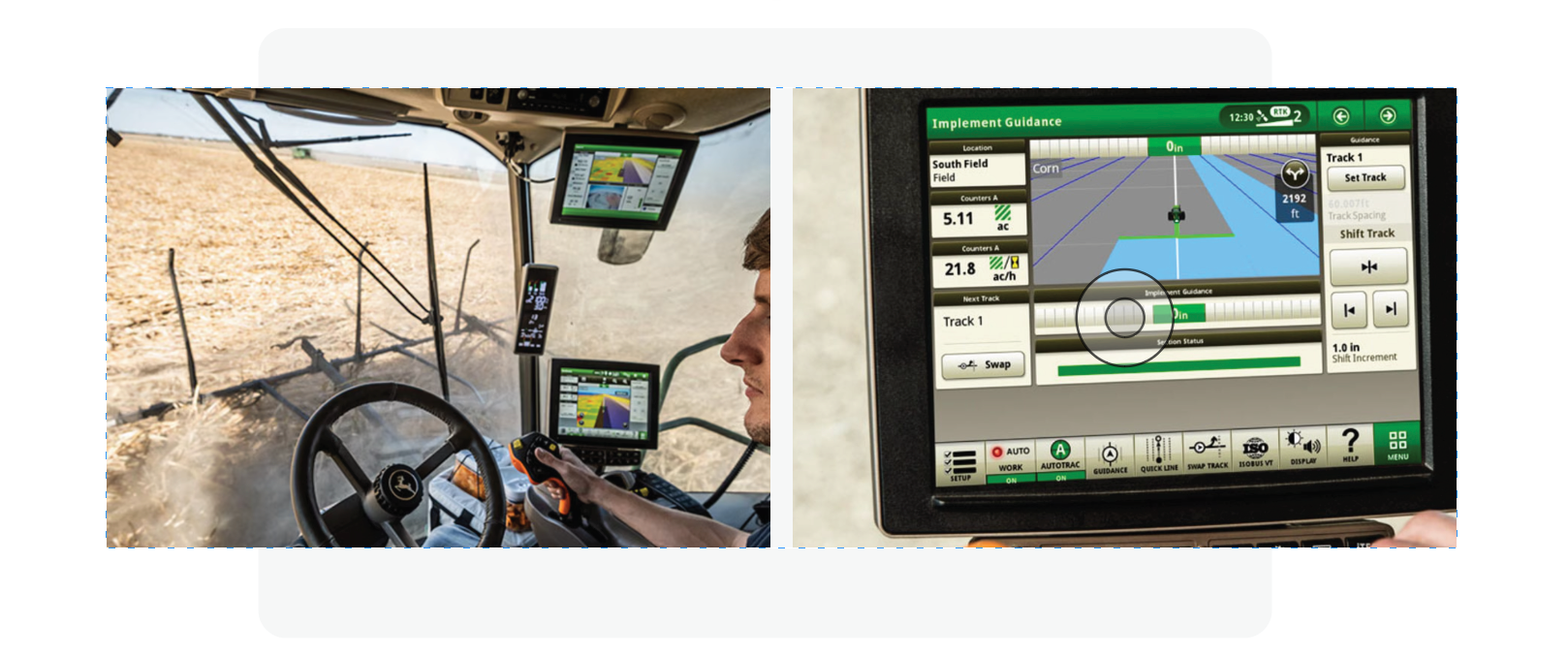
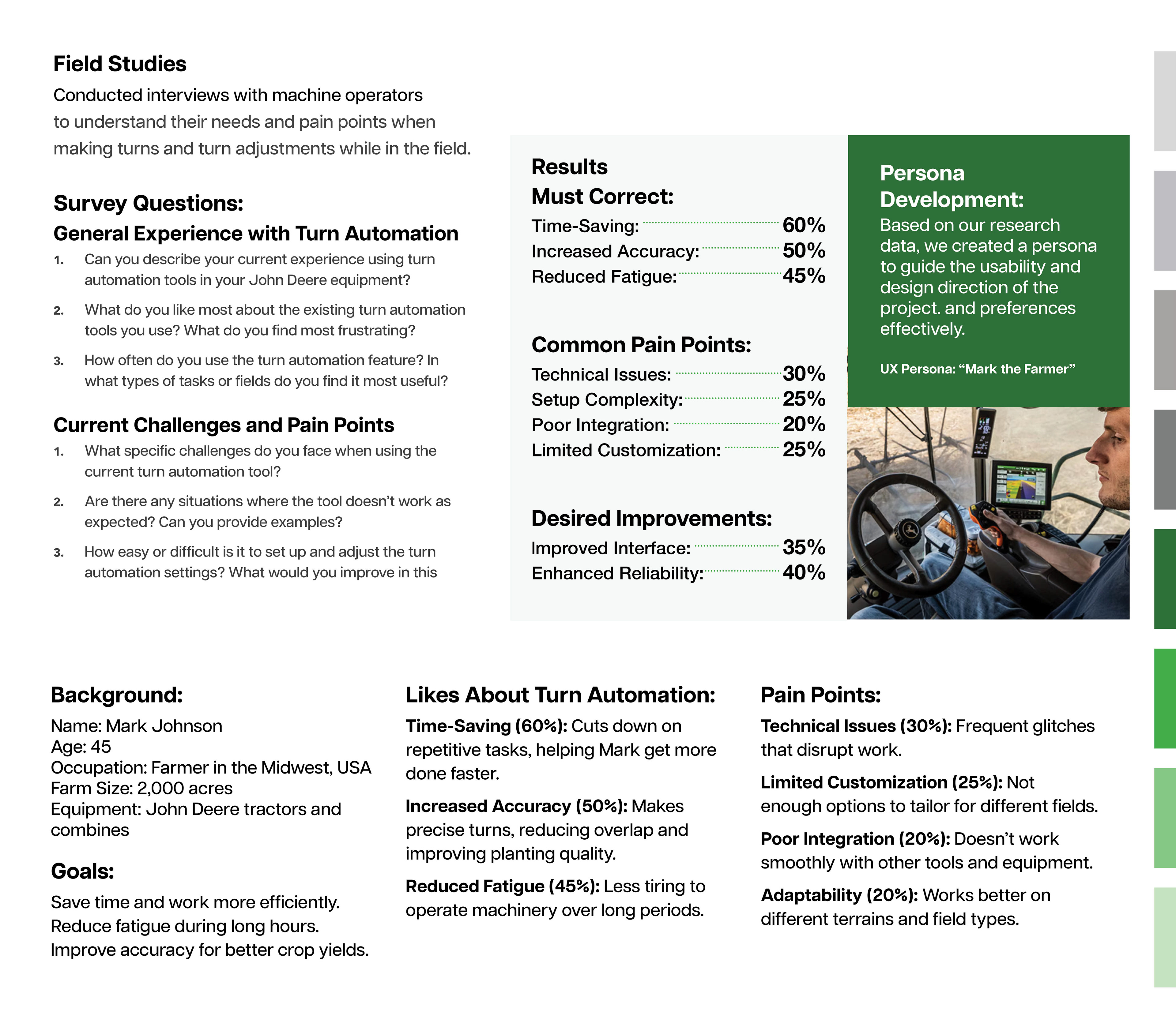
● Conducted in-field operational studies to observe how operators use Turn Automation and identify key pain points.
● Collaborated with product and development teams to align on feasibility and gain buy-in within the tight timeline.
● Worked with UX designers across the John Deere ecosystem to ensure a scalable and consistent solution.
● Synthesized research insights into clear requirements to enhance Turn Automation for multiple operational display sizes.
Team composition:
Designers, content specialists, developers, PMs, stakeholders, and legal
Tools:
● Figma (Wireframes, mockups)
● Figjam (workshops)
● Miro: Collaboration
● Jira: Documentation
● Adobe Creative Cloud: (Presentations, optimization of photos and illustrations)
● Microsoft Teams:(Conduct User interviews, workshops)

Problem Statement
How might we enhance the Turn Automation tool to support different operational screen sizes—both single and multi-screen setups—while improving usability and scalability for operators in the field?
Project key constraints:
● Tight timelines: The project had a limited delivery window, requiring us to prioritize the most critical user and business needs and focus only on high-impact features.
● Cross-team coordination: Identifying and aligning with the right partners across content, legal, brand, and development teams was challenging and required proactive outreach to keep progress moving.
Research & Discovery
During research and discovery, we conducted field observations and moderated sessions to understand how operators use Turn Automation.
Analysis & Requirements
After completing field observations and moderated sessions, we analyzed how operators used Turn Automation across different screen setups. We identified key pain points, including:
● Operators toggling between multiple screens to complete tasks, which disrupted workflow
● Limited ability for smaller screens, as the tool only worked on one large display
● Inefficient use of available screen real estate, causing slower decision-making and fatigue
We synthesized these insights into clear business and design requirements, which guided updates to:
● Support multiple operational display sizes
● Ensure consistent functionality across single and multi-screen setups
● Optimize layouts for usability and efficiency while maintaining scalability for future Turn Automation enhancements
Ideation & Design
Based on insights from research and discovery, we moved forward with the design to create a more flexible Turn Automation experience:
Requirements & Constraints
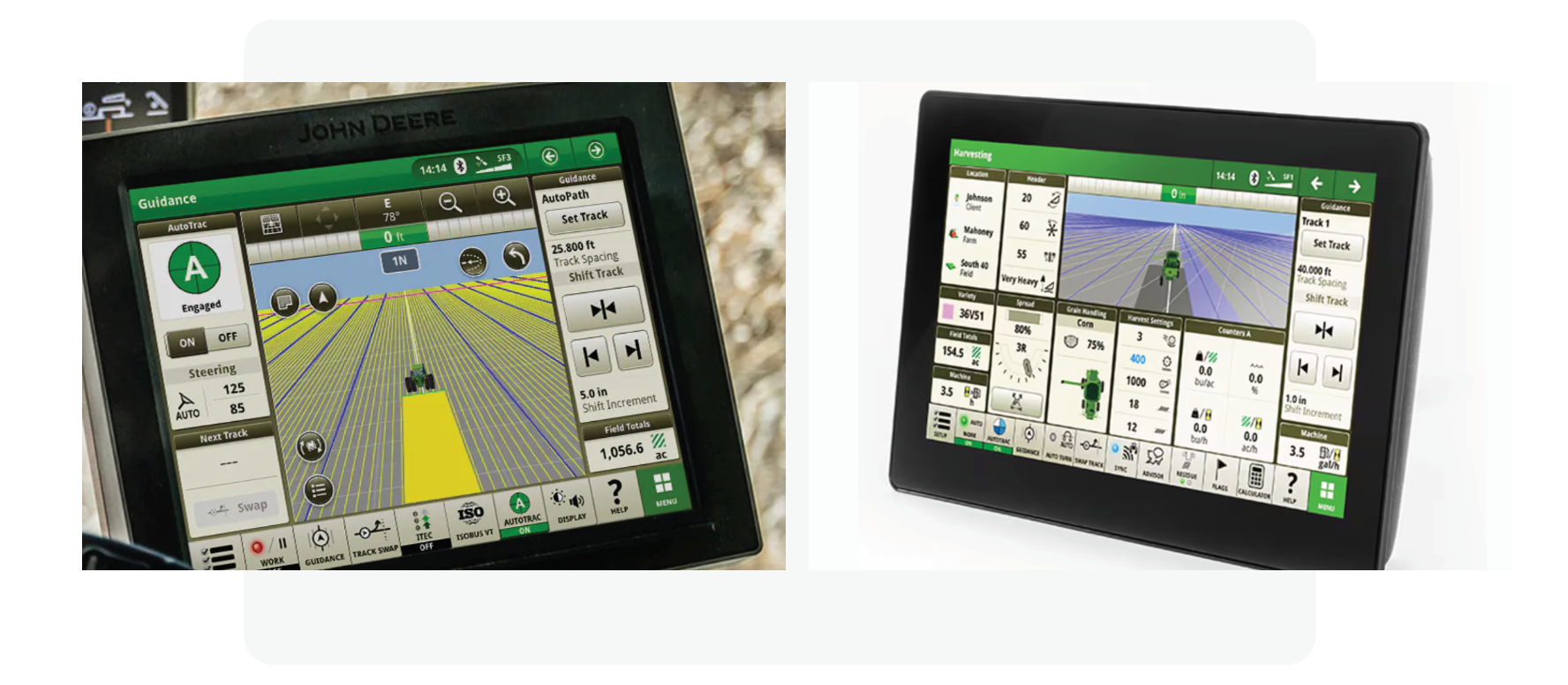
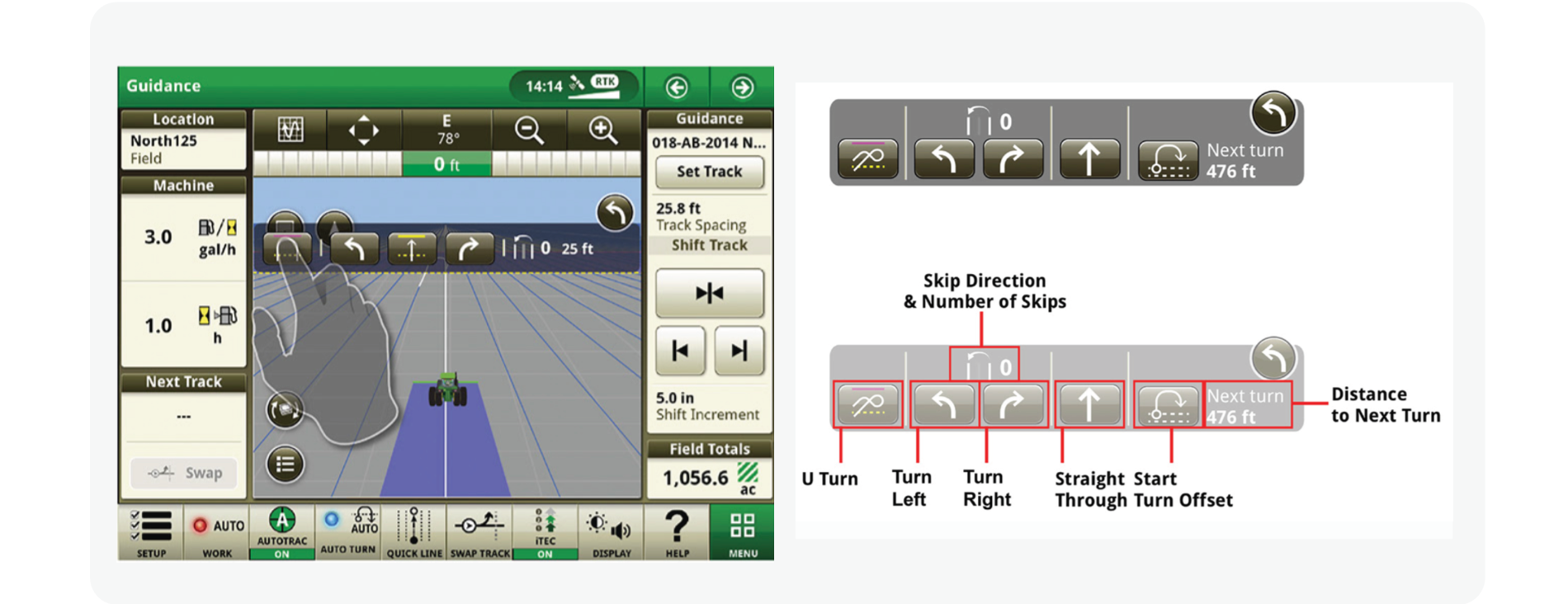
● Current Turn Automation uses an overlay that covers the main map display, blocking the full field view.
● Users cannot see the entire field of operation while using the tool, which limits situational awareness.
● The new design must support multiple smaller screens without disrupting workflow.
● Must maintain visibility of the map and critical field information for accessibility and usability.
● The component should be scalable, flexible, and consistent with existing UI patterns.
Wireframing & Concept Visualization
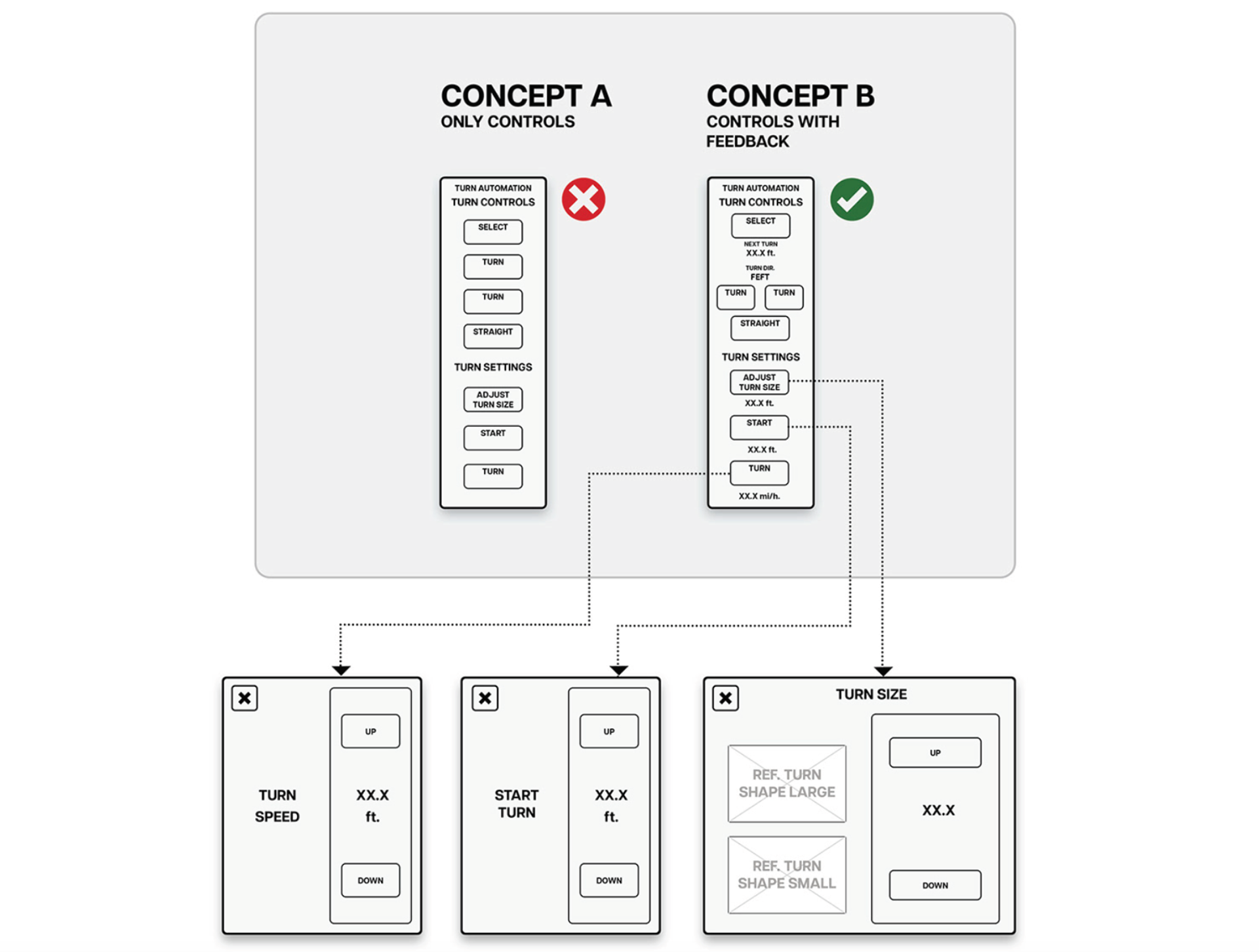
Based on the research insights and defined requirements, we created wireframes to visualize the proof of concept for the enhanced Turn Automation tool. These wireframes allowed us to:
● Explore layout options that support multiple screen sizes.
● Demonstrate how the tool could coexist with the map display without blocking critical field information.
● Socialize design ideas with stakeholders, including product, development, and UX teams.
● Gather early feedback to iterate before moving into high-fidelity design.
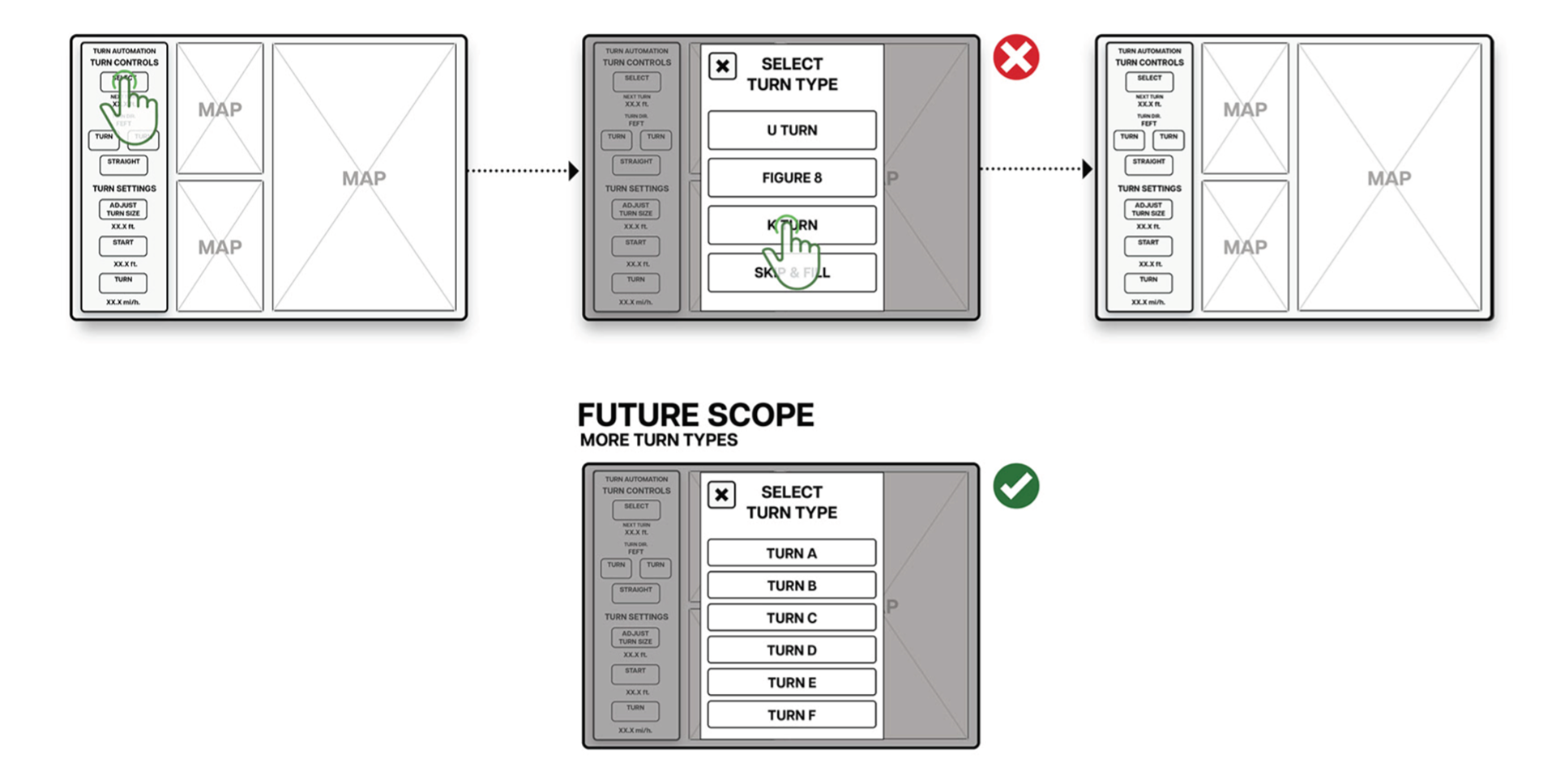
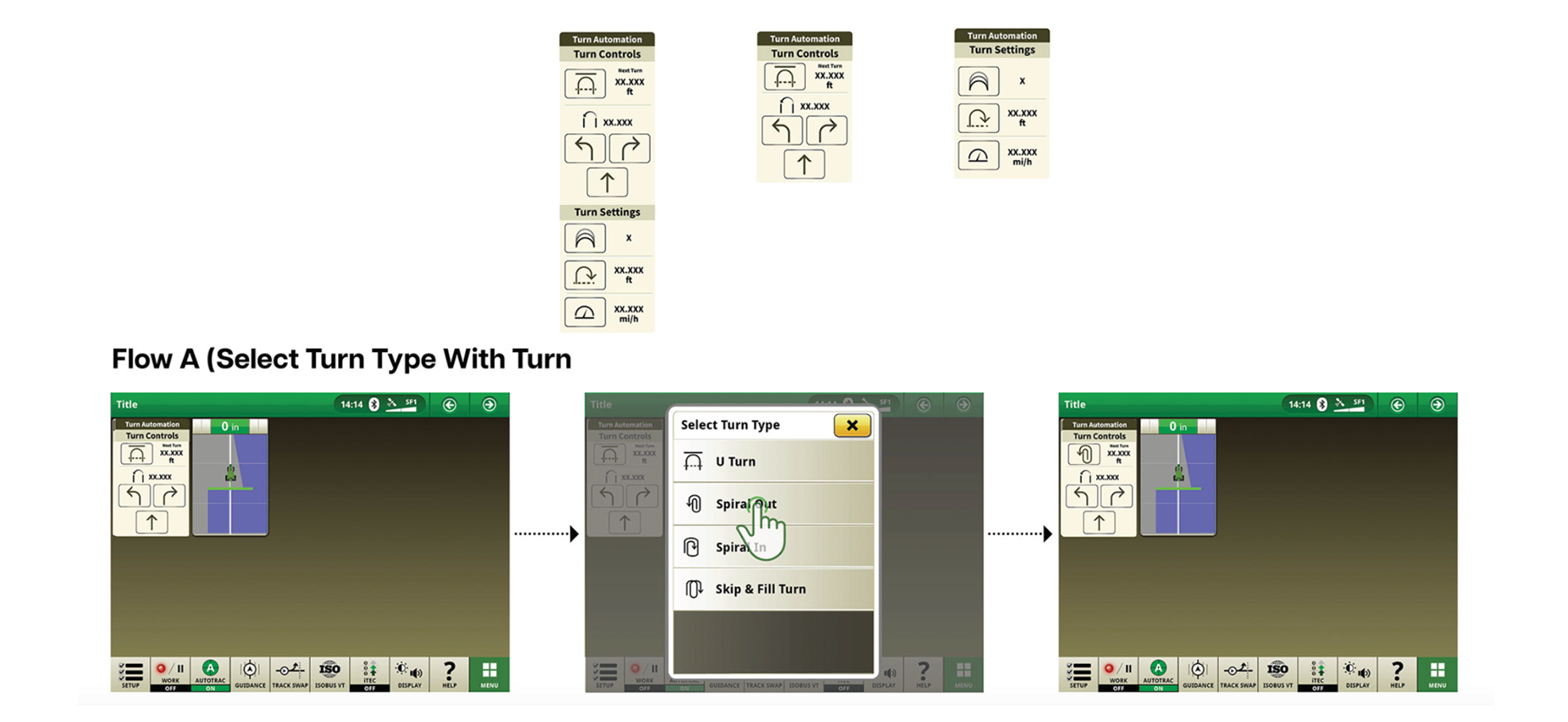
Selecting A Turn
Component Design & Scalability
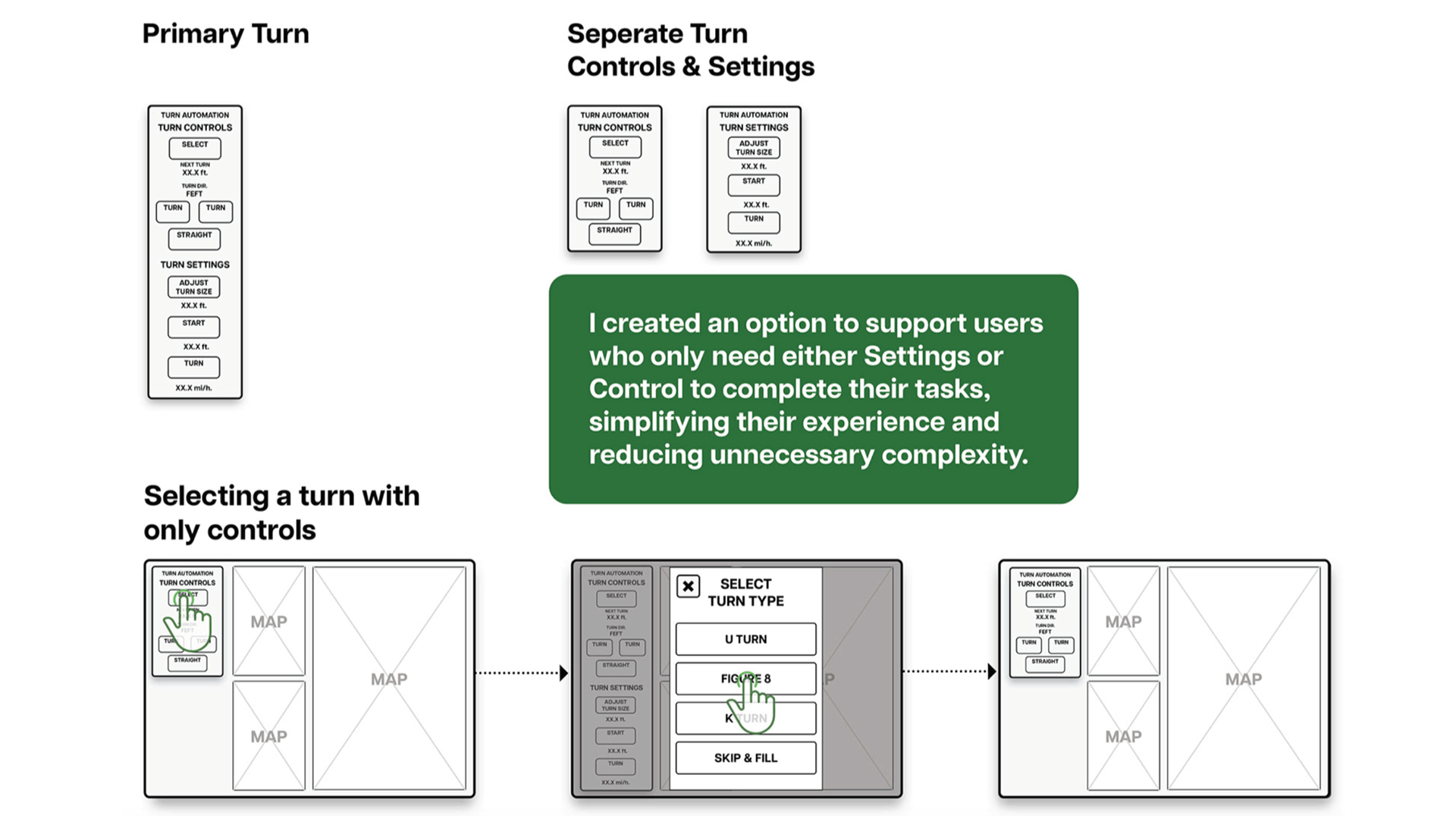
● Designed a scalable component to support multiple screen sizes and different operational setups.
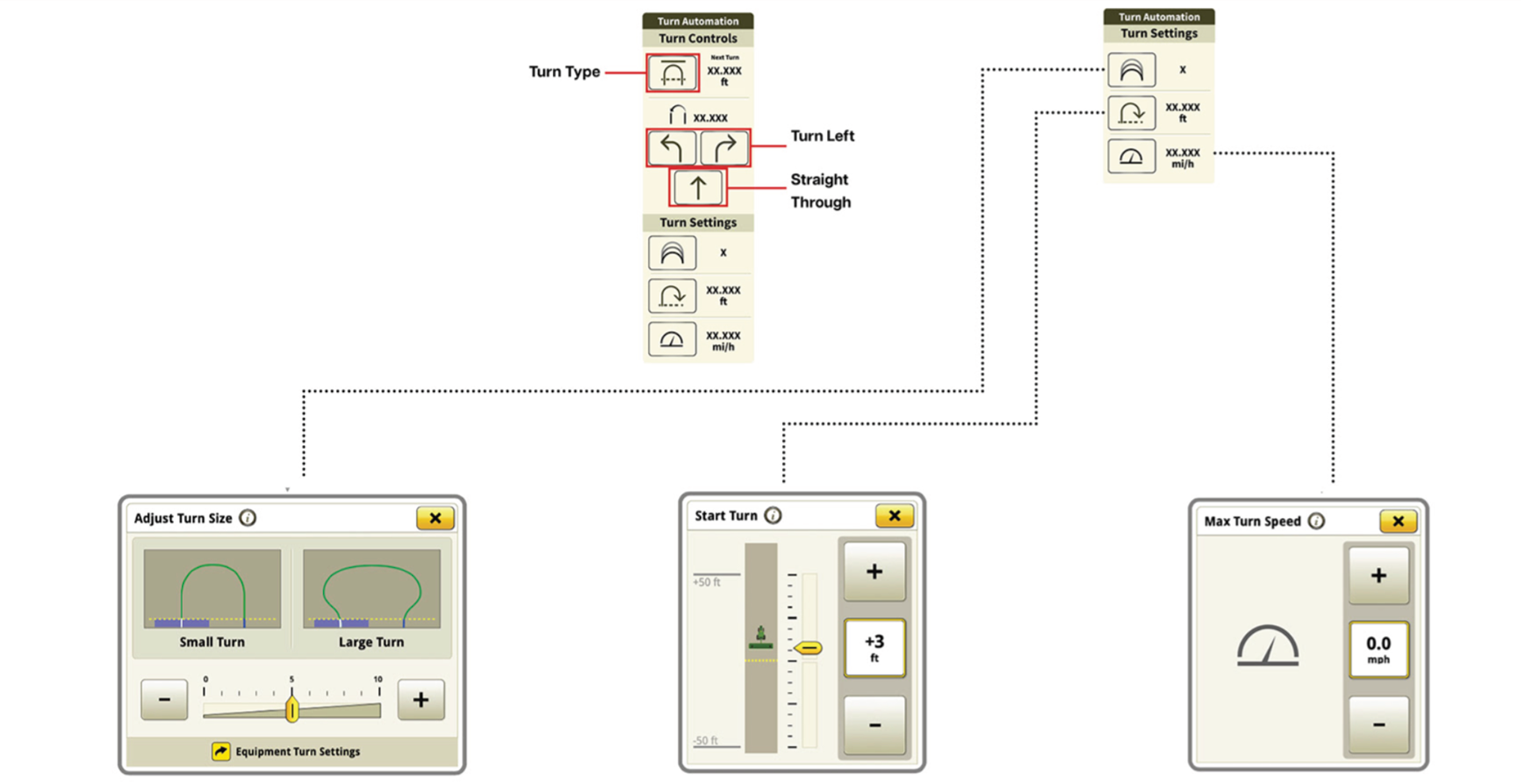
● Created a primary component that combined turn settings and turn controls for the full experience.
● Ensured the components were flexible, reusable, and consistent across the Turn Automation workflow.
Design Implementation Using the Design System
Keeping Core Functionality Intact
Key Learnings
Conducting field research and observing real users is critical to uncover pain points and inform design decisions for complex operational tools.
Designing scalable, modular components ensures flexibility across multiple screens and workflows, making future enhancements easier and more consistent.
Project Impact (ROI)
Reduced operator errors by 30%
Increased task completion efficiency by 70%