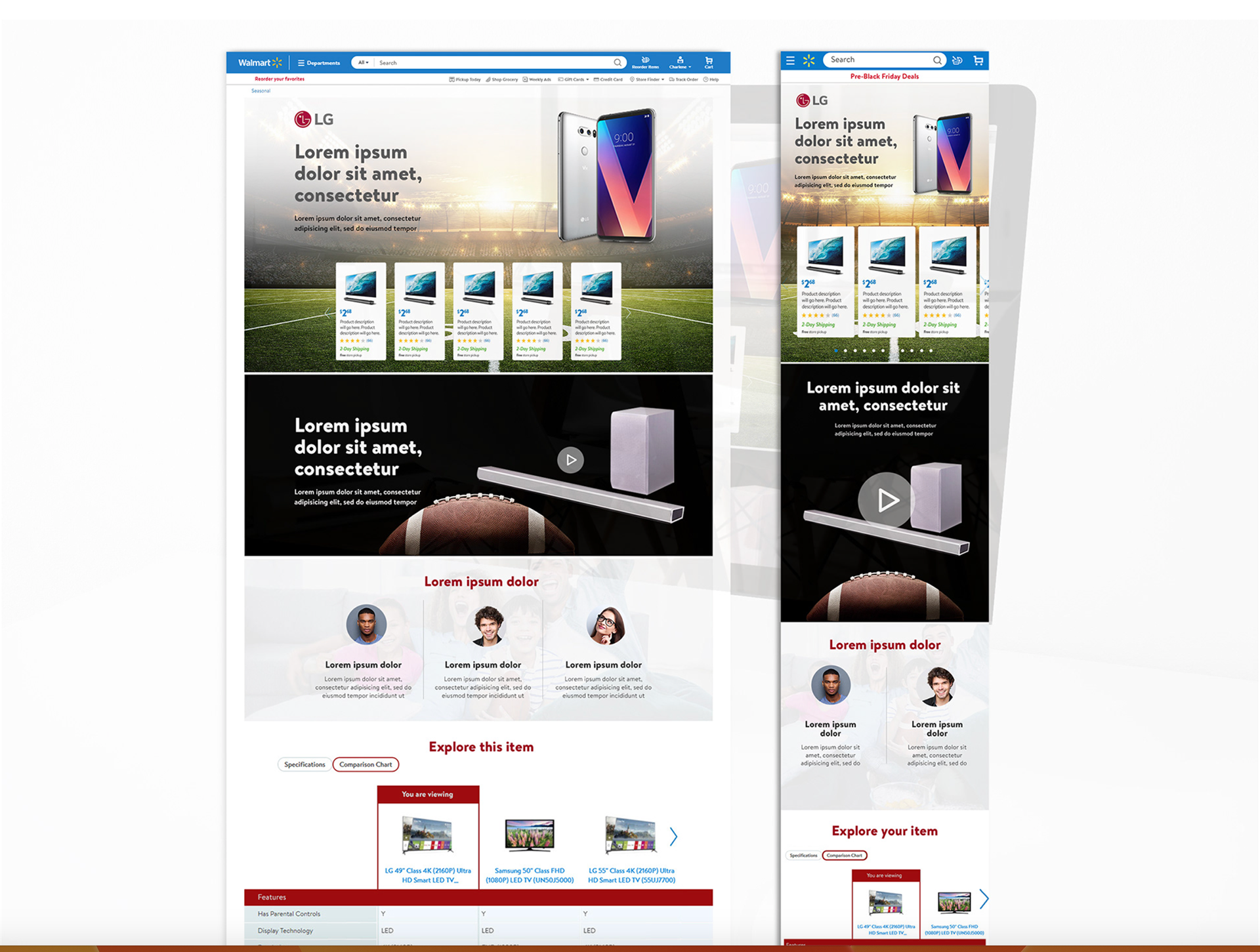
Project Overview
As a UX Designer for Walmart.com, I was responsible for designing a suite of brand-specific landing pages, promotional experiences, and digital assets that supported Walmart’s diverse retail partners and enhanced the overall shopping journey. Working end-to-end—from concepting and wireframing to high-fidelity design and final delivery
My Role as a UX Designer for Walmart.com
I designed branded landing pages and promotional experiences for Walmart’s partner companies, creating clean, user-friendly layouts that supported their products and campaigns. I worked with marketing and copy teams to turn brand goals into clear, responsive designs that fit Walmart’s design system and improved the overall shopping experience.
Team composition
Designers, content specialists, developers, PMs, stakeholders, legal, SEO, and UnitedHealthcare Brand experts.
Timeline
3-Week Sprint Timeline for Walmart.com Branded Landing Page Projects
Week 1 – Discovery & Alignment
Review business requirements and campaign goals with product and marketing teams.
Conduct a UX audit of similar Walmart pages for patterns, gaps, and best practices.
Gather SEO and content requirements from the content team.
Identify technical constraints with developers (modules, components, CMS limitations).
Week 2 – Design Exploration & Collaboration
Create initial wireframes and layout concepts that align with Walmart’s design system.
Run UX reviews with fellow designers to gather design feedback and ensure consistency.
Meet with product stakeholders to validate concepts and adjust based on feedback.
Iterate on content placement, imagery, and visual hierarchy to support brand goals.
Start creating high-fidelity mockups for final review.
Week 3 – Finalization & Delivery
Conduct a final design review with UX, product, and marketing teams.
Refine copy and visuals with the content and brand teams to ensure accuracy and SEO alignment.
Prepare final responsive designs for desktop and mobile.
Package assets, annotations, and design guidelines for development handoff.
Support developers during implementation with quick reviews and clarifications.
Tools Used Throughout the Project
Design & Prototyping
Sketch – Primary tool for wireframes, page layouts, and high-fidelity designs.
Adobe Photoshop – For editing brand imagery, optimizing assets, and preparing graphics.
Research & Collaboration
Miro – For brainstorming, user journey mapping, and collaboration with research and product teams.
UserZoom / UserTesting.com – To review user insights, run quick usability checks, and analyze behavior patterns.
Google Analytics / Adobe Analytics – To understand traffic, scroll behavior, and drop-off points on existing pages.
Content & SEO Coordination
Workfront – Managing tasks, timelines, approvals, and cross-team communication with product, content, and marketing.
Development Handoff & QA
Zeplin – Exporting design specs, spacing, and assets directly for developers.
Jira – Tracking tickets, handoff, revisions, and design-related implementation updates.
UX Problem Statement
Walmart’s brand partners needed customized landing pages to promote their products, but the existing templates were limited, inconsistent, and didn’t support each brand’s unique content and goals. Users often struggled to find relevant information quickly, leading to lower engagement and missed conversions.
We needed to design flexible, user-friendly landing page experiences that balanced each brand’s identity with Walmart’s design standards, improved discoverability, and made it easier for customers to explore and shop confidently.
Research & Discovery
To design effective branded landing pages for Walmart.com, we started by understanding user needs, business goals, and technical requirements.
Competitive Review:
Looked at how other major retailers design brand landing pages to identify best practices.
Stakeholder Discussions: Met with Walmart product, marketing, and brand partners to clarify goals, required content, and success metrics.
User Behavior Analysis:
Reviewed analytics to see where users clicked, dropped off, and what content they engaged with most.
Content & SEO Input:
Worked with content teams to understand messaging needs, SEO requirements, and tone guidelines.
Accessibility Review:
Identified WCAG issues and established accessibility requirements for colors, alt text, and layout.
Technical Constraints:
Coordinated with engineering to understand template limitations, CMS capabilities, and component options.
UX Reviews:
Collaborated with other UX designers and researchers to gather early feedback and ensure design consistency.
Design & Prototyping
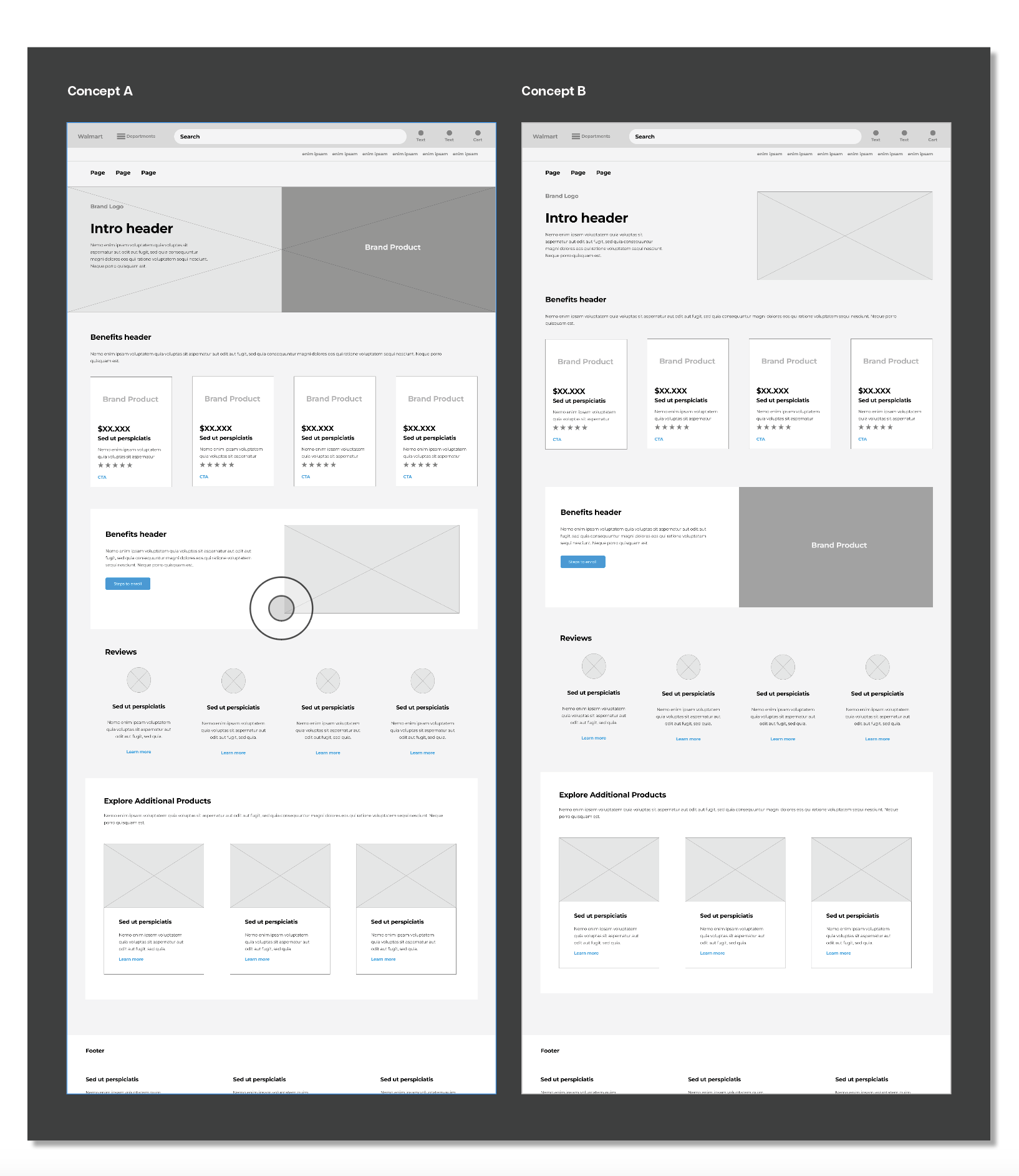
After gathering insights from research, SEO, accessibility, and technical reviews, we synthesized the findings into a clear design direction. Using this information, we created low-fidelity wireframes to explore layout options and establish the structure for the LG landing page before moving into refined design.
Design Aproach
Reviewed successful layouts from previous client pages.
Identified high-engagement components and content patterns.
Used proven sections and structures to guide the new LG layout.
Applied these opportunities to shape strong, effective wireframes.
Phase 2 of Design
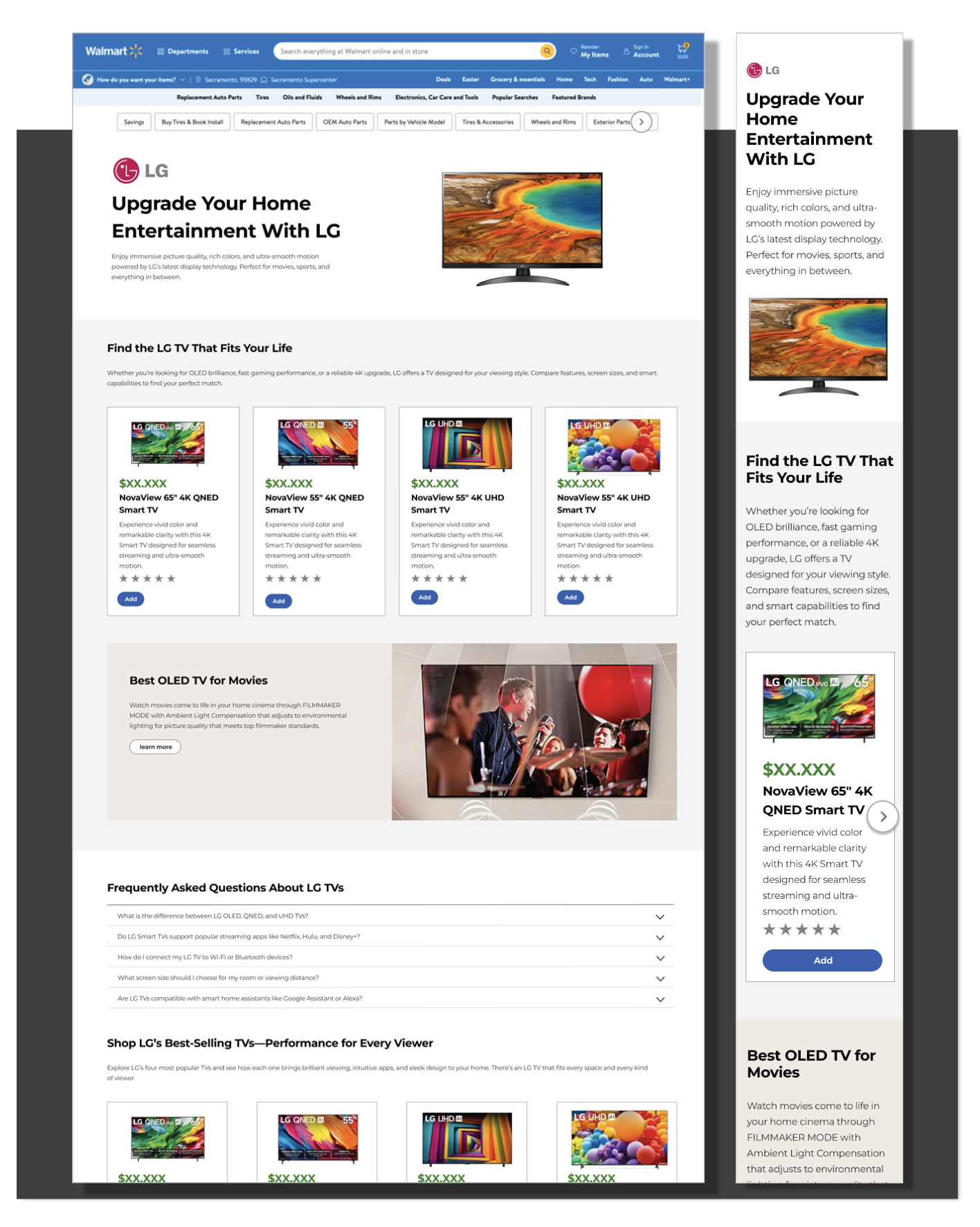
After the layout was approved by product stakeholders and UX partners, we moved into final design.
We applied the correct Walmart + LG brand UI, refined content, selected visuals, and finalized components.
The goal was to produce a polished, production-ready page layout that developers could confidently implement.
Design Iterations & Updates
During the UX process, we made several updates to improve the page.
One big update was making a product module stronger and more helpful for customers.
The business and product team asked us to add more LG resources so users could explore more LG products.
We adjusted the design to include these new links and options.
Each change was tested, reviewed, and improved before moving into final production.
Content Iteration & Updates
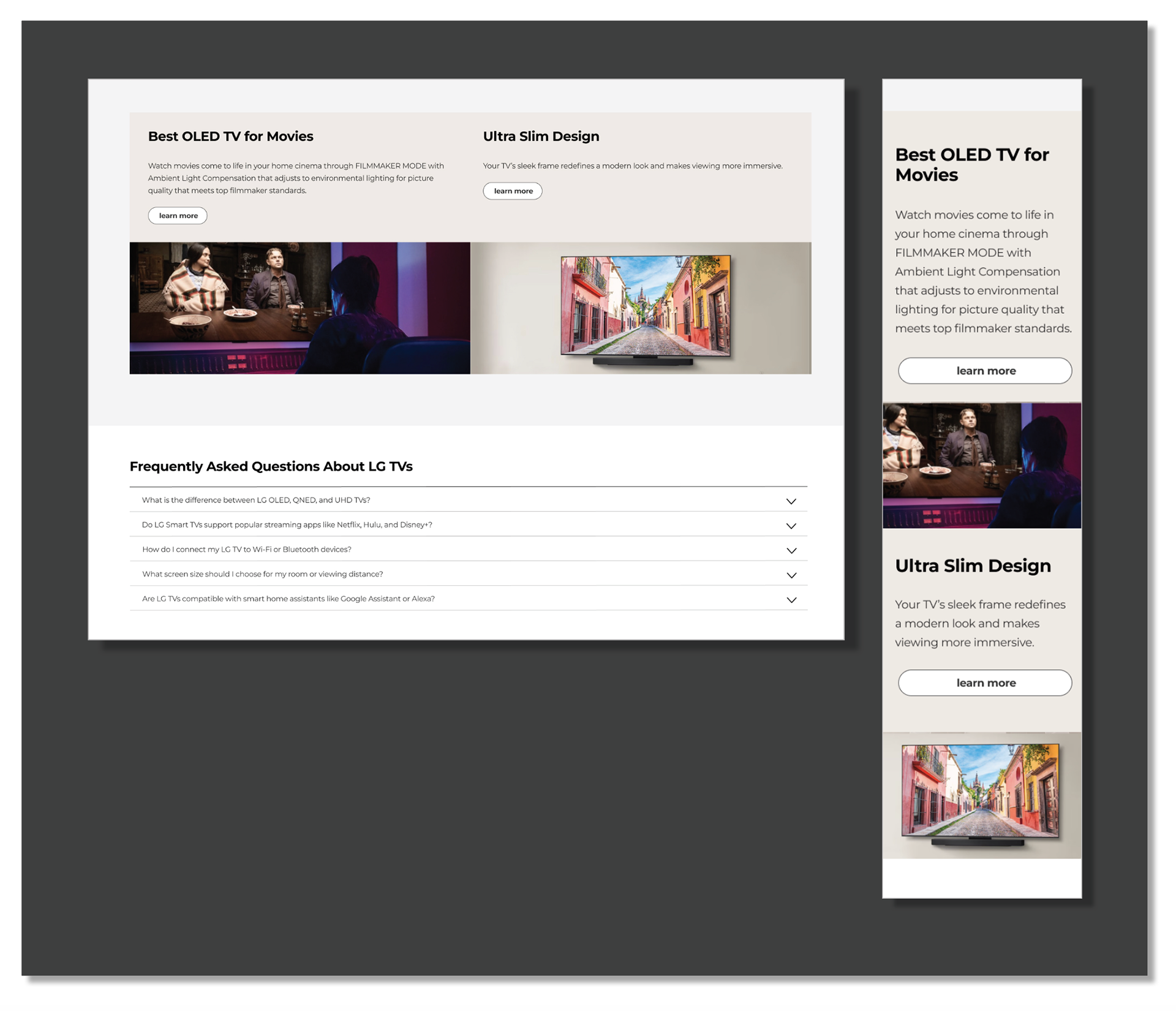
We reviewed and updated all copy for clarity and SEO.
UX content teams tested headlines and text to ensure they were easy to read at a fourth-grade level.
We checked that all wording met accessibility guidelines.
Content was adjusted to match product team requirements and improve user understanding.
Each version was reviewed, refined, and approved before final design.
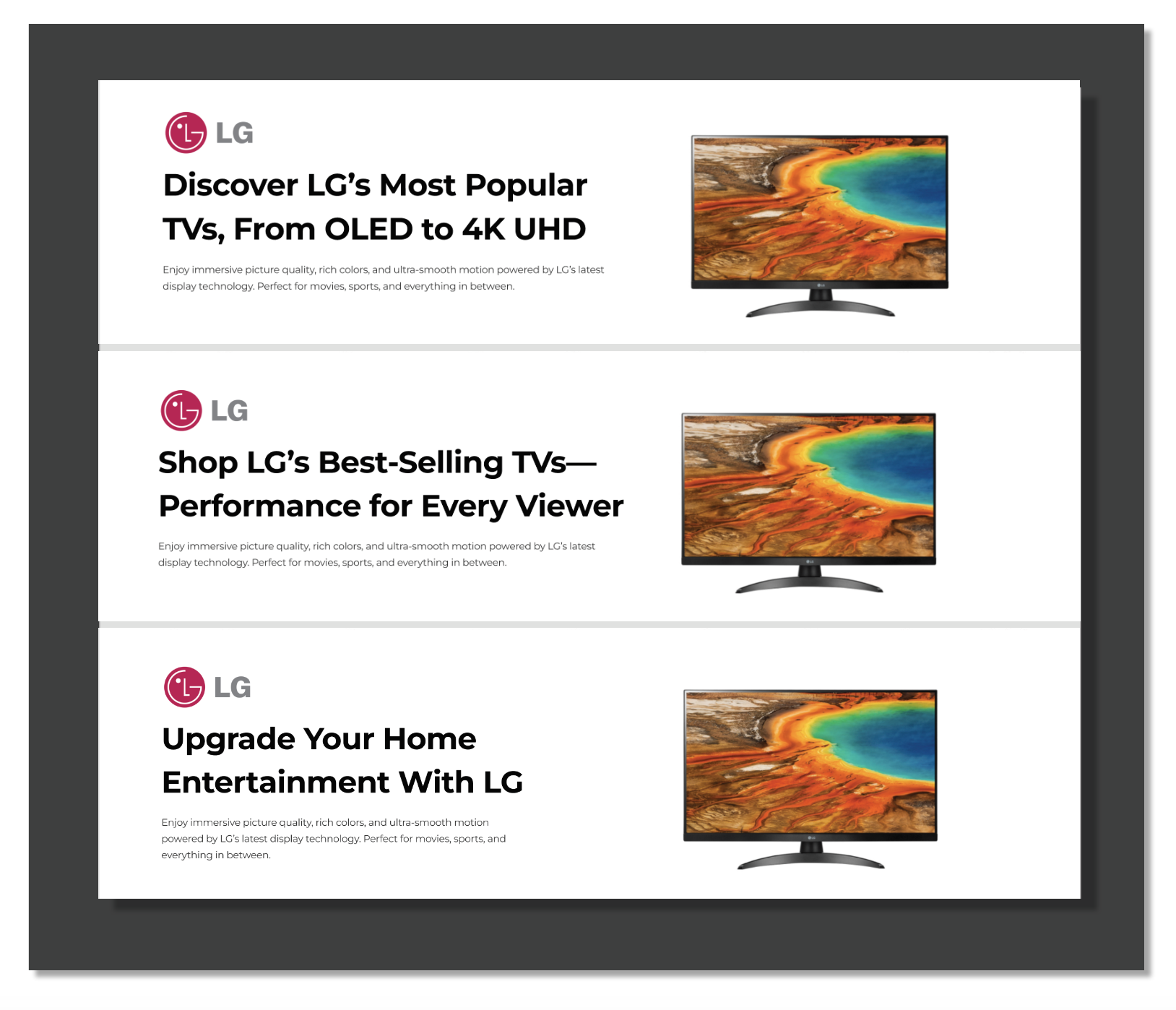
Finalized Design – Ready for Production
Updated content and copy for SEO and accessibility.
Incorporated stakeholder, product, and UX team feedback.
Refined design patterns, visuals, and interactions.
Aligned with product requirements and business rules.
Created high-fidelity screens and specs for development.
Ensured clear guidance for accurate implementation.
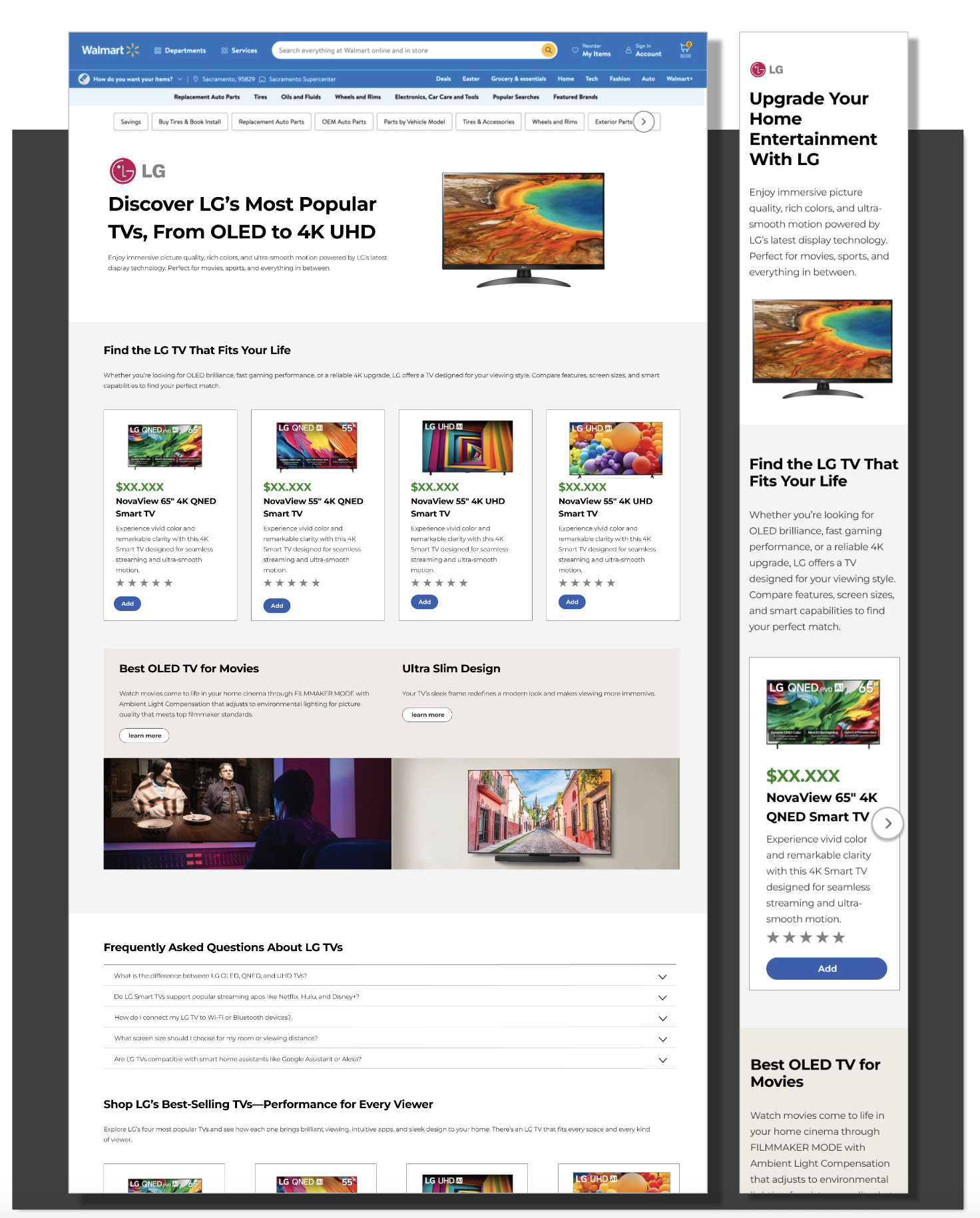
Working with Development – QA for Production
Reviewed the page for spec accuracy and design fidelity.
Verified content, copy, and accessibility updates matched the approved design.
Checked interaction behaviors and states across devices and screen sizes.
Coordinated with developers to clarify design intent and resolve questions.
Identified and reported UI inconsistencies or bugs for quick fixes.
Ensured responsive design and cross-browser compatibility.
Confirmed final page functionality aligned with product requirements.
Key Metrics – LG Product Launch Landing Page
Increased user engagement: Higher click-through rates on product features and promotions.
Improved navigation: Reduced bounce rate by simplifying product discovery.
Enhanced accessibility: WCAG compliance ensured all users could access content.
Optimized content: SEO improvements led to better search visibility on Walmart.com.
Faster load and performance: Streamlined design and assets improved page speed.
Positive user feedback: Users reported clarity in product info and ease of purchase.
Seamless mobile experience: Consistent performance across devices and screen sizes.